TL;DR
HR automation in 2027 means intelligence and scale: automating decisions and multi-step work across the employee lifecycle, not just digitizing forms.
This guide compares seven HR automation tools for enterprises: Darwinbox, Workday, SAP SuccessFactors, Oracle HCM, UKG, ADP Workforce Now, and Rippling.
A comparison table shows what each platform automates, its strengths, honest limitations, and the organization size it suits best.
The strongest tools embed native AI in core workflows, support decisions rather than just complete tasks, and automate across the full lifecycle instead of in silos.
Choose based on enterprise complexity now and ahead, real AI maturity, configurability, integration readiness, and total cost of ownership.
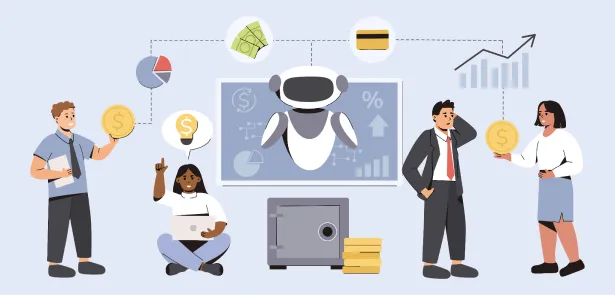
HR automation in 2027 looks different from the workflow tools of a few years ago. The question is no longer whether a system can route an approval or store a document. It is whether it can automate decisions, adapt across countries and entities, and scale with the business. For enterprise HR teams, automation now spans the full employee lifecycle and increasingly runs on native AI rather than fixed rules. This guide covers the top HR automation tools for enterprises in 2027: what each one automates, where it fits, and how to choose the right platform for your organization.
What Are HR Automation Tools?
HR automation tools are platforms that automate repetitive, rule-based, and decision-driven HR processes, from onboarding and payroll to performance and employee support. They replace manual effort with configured workflows and, increasingly, native AI that can interpret context and act across systems.
The difference from basic HR software matters. Basic HR software digitizes records and forms. HR automation tools go further: they orchestrate multi-step processes, apply policy and compliance rules automatically, and surface insights that support decisions rather than just storing data.
In an enterprise, that automation spans the entire employee lifecycle, hire to retire, not a few isolated tasks. A single request, a new hire, or a policy change can trigger coordinated actions across core HR, payroll, time, talent, and analytics. When those processes sit on one platform, the automation compounds. When they are stitched across disconnected tools, it breaks at the seams.
What Makes an HR Automation Tool "Best" in 2027
HR automation has moved well beyond digitizing manual tasks. A decade ago, the goal was to replace paper with forms. Today the bar is higher: enterprises expect automation to reason, recommend, and act across the full employee lifecycle.
Three shifts define what makes a tool stand out in 2027.
First, native AI, not AI added on top. The strongest platforms embed AI into core workflows rather than running it as a separate assistant. Forecasting, anomaly detection, candidate ranking, and employee support work inside the same system that holds the data, not alongside it.
Second, decision support, not just task completion. Automation now extends to judgment-adjacent work: flagging attrition risk, surfacing pay anomalies before a run, or recommending successors. The tool handles the coordination and people keep the decision.
Third, automation across the lifecycle, not in silos. Enterprises want one system where onboarding, payroll, performance, and helpdesk automation connect. Fragmented automation creates new manual work at every handoff.
A tool that earns the label in 2027 also has to hold up under enterprise conditions: multiple countries and entities, complex approval chains, strict compliance, and integration with finance, IT, and analytics. Depth matters more than a long feature list. The right question is not how many tasks a tool can automate, but how well it automates the ones that carry real operational and compliance weight.
Top HR Automation Tools in 2027
The platforms below are the HR automation tools enterprises evaluate most often in 2027. Each automates across the employee lifecycle, but they differ in AI depth, scale, and fit. Darwinbox leads the list as an AI-native platform built for global enterprises. The table compares what each one automates, its strengths, honest limitations, and the organization size it suits best.
| Tool | Best For | What It Automates | Strengths | Limitations | Ideal Org Size |
|---|---|---|---|---|---|
| Darwinbox | Global enterprises wanting AI-native, unified HCM | Hire-to-retire: core HR, onboarding, multi-country payroll, talent, engagement, helpdesk | Native AI agents, unified platform, mobile-first, fast to configure | Newer in North America; US payroll via integrations | Large and global |
| Workday | Enterprises unifying HR and finance | Recruiting, payroll, performance, workforce planning, expenses (Illuminate agents) | Strong analytics, agentic AI, single HR and finance system | High TCO, long implementation, configuration needs services | Large and global |
| SAP SuccessFactors | Complex global enterprises on SAP | Core HR, talent, learning, payroll, compliance (Joule agents) | Broad global coverage, deep compliance, autonomous HCM direction | Complex, lengthy implementation; higher cost | Large and global |
| Oracle HCM | Enterprises in the Oracle ecosystem | Core HR, payroll, talent, recruiting, with embedded AI | Full suite, strong data model, embedded AI agents | Legacy-feel UX in parts; IT-heavy; long rollout | Large and global |
| UKG | Frontline and shift-based workforces | Time, scheduling, attendance, payroll, HR, with AI guidance | Deep workforce management and labor compliance; Gartner WFM Leader | Complex, costly setup; mobile and reporting friction | Mid-market to large |
| ADP Workforce Now | Enterprises wanting proven payroll at scale | Payroll, tax, time, benefits, compliance, with ADP Assist AI | Payroll depth and compliance; broad ecosystem | Add-on complexity and cost; parts of the UX feel dated | Mid-market to large |
| Rippling | Fast-scaling firms unifying HR, IT, payroll | Onboarding, payroll, benefits, device and app provisioning | Broad automation across HR and IT; quick to configure | Borderline for large enterprise; HCM depth trails specialists; cost premium | SMB to mid-market |
Business Benefits of HR Automation for Enterprises
The case for HR automation is operational, not cosmetic. Five benefits show up consistently in enterprise deployments.
Faster HR operations without proportional headcount. Automation lets HR teams handle more volume, more entities, and more complexity without adding staff at the same rate. Routine work runs in the background, so the team scales with the business rather than against it.
Less dependency on manual effort. Intelligent automation absorbs the repetitive, rule-based work that consumes HR capacity: data entry, approvals, reconciliations, and first-line queries. That frees people for work that needs judgment.
Better employee and manager experience. Self-service and transparency change how work gets done. Employees resolve requests on their own, managers get answers without waiting on HR, and status is visible rather than buried in an inbox.
Stronger data visibility for leadership. When processes run on one system, the data is clean and current. Leaders get real-time visibility into cost, headcount, and workforce trends instead of stitching reports together after the fact.
A foundation for a future-ready HR tech stack. HR automation is the base layer that everything else builds on. Once core processes are automated and connected, adding AI, analytics, and new workflows becomes incremental rather than a fresh project each time.
The through-line is compounding value: each automated process makes the next one easier, and the returns grow as coverage expands across the lifecycle.
How to Choose the Right HR Automation Tool
Choosing well comes down to five checks.
Evaluate complexity today and three years out. Buy for where the organization is heading, not only where it is. Count the entities, countries, worker types, and integrations you will need to support.
Separate real AI from marketing claims. Ask what the AI actually does in production, which workflows it runs inside, and what governance surrounds it. Live use cases matter more than roadmaps.
Compare configurability against customization. Configurable platforms adapt without code and stay flexible over time. Heavy customization creates rigidity and cost at every upgrade.
Confirm integration readiness. The tool has to connect cleanly with finance, IT, and analytics systems, or the automation stops at the platform edge.
Assess total cost of ownership. Look past license fees to implementation, professional services, and the cost of scaling. Time to value belongs in the calculation.
Why Darwinbox for HR Automation
If HR automation is the priority, Darwinbox is a strong bet for enterprises. Automation runs across the full employee lifecycle on one AI-native platform, so onboarding, payroll, talent, and employee support connect rather than breaking at each handoff. Native AI is embedded in those workflows rather than added on top: a library of AI agents and the Super Agent handle multi-step work, and agents act within the same guardrails and permissions as the person using them, which keeps automation governed and auditable. The platform configures to complex, multi-country operations without heavy IT dependency, and it deploys faster than legacy suites. That approach is analyst-validated: Darwinbox is a Challenger in the Gartner Magic Quadrant for Cloud HCM Suites for two consecutive years and a Leader in the 2026 Gartner Magic Quadrant for Talent Acquisition Suites. For enterprises consolidating a fragmented HR stack, unified data, native AI, and governed automation are the case for Darwinbox.
Frequently Asked Questions
Can HR automation tools integrate with legacy HR systems?
Yes. Most enterprise HR automation platforms offer open APIs and prebuilt connectors for legacy HR, payroll, and ERP systems. Depth varies, so confirm native support for the specific systems you run rather than assuming a generic connector covers complex data flows.
How secure is employee data in modern HR automation platforms?
Enterprise platforms typically hold certifications such as ISO 27001 and SOC 2 and support role-based access, encryption, and audit trails. Security depends on configuration as much as certification, so review data residency, access governance, and how AI features handle sensitive data.
Which HR processes benefit most from automation?
High-volume, rule-based processes benefit most: onboarding, payroll, time and attendance, leave, approvals, and employee queries. Decision-heavy processes such as performance and succession benefit from AI-assisted automation that supports the decision without removing human judgment.
How is HR automation different from an HRMS or HCM platform?
An HRMS or HCM is the system of record for HR data. HR automation is what that system does with the data: running workflows, applying rules, and acting across processes. In practice, the strongest HR automation lives inside a unified HCM rather than in a separate tool.
How does AI change HR automation in 2027?
AI shifts automation from fixed rules to context-aware action. Instead of following only if-then logic, AI-native platforms interpret data, recommend actions, and coordinate multi-step work across the employee lifecycle, while keeping people in control of decisions.
HR automation is now the foundation of an enterprise HR tech stack, and the platforms that win automate deeply, run on native AI, and scale across the lifecycle. To see how that works in practice, explore how Darwinbox automates HR across the employee lifecycle.